
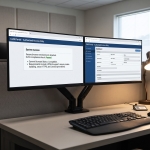

For years, accessing NCIC and state files meant using a dedicated terminal or installed client software on every desk and in every patrol car. Each install had to be imaged, patched and supported by IT. Many agencies are now moving to a browser based CJIS workstation, where officers and dispatchers reach the same systems through a web browser they already use.
That shift raises a practical question: which browser should your agency use, and how should it be set up? The browser is now the front door to criminal justice information. Its version, settings and management all affect security, audit results and day-to-day reliability. This guide covers what agencies should know about running a browser based CJIS workstation on Chrome, Edge or Safari.
Why the browser matters more than it used to
With installed software, the client application handled most of the work. With a browser based CJIS workstation, the browser renders the interface, manages the secure connection and holds the user's session. If it is outdated, misconfigured or loaded with unapproved extensions, it can weaken an otherwise secure system.
The upside is significant. A browser based CJIS workstation removes heavy client installs, speeds up deployment and lets agencies roll out updates on the server instead of touching every device. To get those benefits safely, IT teams need a clear browser standard and the policies to enforce it.
Chrome, Edge and Safari compared
All three major browsers can support a modern browser based CJIS workstation when they are current and properly managed. The best choice usually depends on the devices your agency already owns and how you manage them.
Chrome is widely used and offers strong centralized management. IT teams can push policies that control updates, extensions, password saving and other settings across agency devices. Its broad adoption also means staff are often familiar with it.
Edge is the default browser on many agency-issued laptops and rugged notebooks. It is built on the same open-source engine as Chrome, so web applications tend to behave the same in both. Agencies that already manage laptops through a central directory often find Edge easy to configure and control.
Safari is the default browser on many tablets and phones used in the field. When those devices are enrolled in a mobile device management system, Safari can be locked down with agency policies. For agencies that equip officers with tablets, Safari support is important.
Most agencies do not need to pick just one. A common approach is to standardize on one browser for laptops and MDTs and support Safari on agency tablets. Always confirm the exact browsers and versions your vendor supports before you finalize a standard for your browser based CJIS workstation.
Core technical requirements
Regardless of brand, the browser used for a browser based CJIS workstation should meet a baseline. Check for the following:
- A current, vendor-supported version that still receives security updates
- Support for TLS 1.2 or higher for encrypted connections
- JavaScript enabled for the workstation's domain
- Support for modern web standards, including real-time server push for incoming messages
- Session cookies allowed for the workstation's domain
- Pop-ups or new windows allowed for the workstation, if needed for printing or viewing attachments
- Adequate screen resolution and touch support for MDTs and tablets
The FBI CJIS Security Policy requires criminal justice information to be encrypted in transit using FIPS-validated cryptographic modules, with TLS 1.2 or higher and a symmetric key strength of at least 128 bits. In a browser based CJIS workstation, encryption is handled across the server, the network path and the client device. Your agency's CJIS Systems Officer or security staff should confirm how each layer meets the policy.
Security settings under the CJIS Security Policy
The FBI released CJIS Security Policy version 6.0 in December 2024, reorganizing requirements around federal security control families. Several of those controls affect how a browser based CJIS workstation should be configured.
Multi-factor authentication
Users accessing criminal justice information must use multi-factor authentication. The workstation should support approved authenticators, and the browser must work with whatever method your agency uses, such as hardware tokens, smart cards or authenticator apps.
Session and device locks
The policy requires a session or device lock after no more than 30 minutes of inactivity. Set this at the device level and confirm the workstation enforces its own session timeouts. Shared dispatch consoles need special attention, since one user's session should never carry over to the next.
No saved passwords or autofill
Disable the browser's built-in password manager and form autofill for the workstation. Saved credentials undermine unique user identification, and autofill can expose personal or case data to the wrong user.
Limit what stays on the device
A well-designed browser based CJIS workstation keeps criminal justice information on the server, not on the local device. Pair that design with browser settings that limit caching and clear session data at sign-out. If a laptop or tablet is lost or stolen, there should be nothing useful left on it.
Control extensions
Browser extensions can read page content. Block all extensions except those your agency has reviewed and approved. This is one of the simplest and most important steps in securing a browser based CJIS workstation.
Manage downloads and printing
Decide where users can save or print documents that contain criminal justice information. Restrict downloads to approved locations, and apply your agency's media protection rules to anything printed.
Mobile devices need extra controls
Tablets and phones bring a browser based CJIS workstation into the field, but they also face higher risk of loss or theft. Agencies should manage these devices centrally and enforce:
- Device passcodes and automatic screen lock
- Encryption of the device storage
- Remote lock and wipe for lost or stolen devices
- Restrictions on unapproved apps and browser extensions
- Current operating system and browser versions
Keep in mind that criminal justice information stored at rest outside a physically secure location must be encrypted to the policy's standards. A zero-footprint workstation reduces this risk by keeping data off the device in the first place.
Keeping browsers up to date without breaking things
Browsers update often, sometimes every few weeks. Those updates close security holes, so falling behind creates risk and audit findings. At the same time, an untested update can disrupt operations if it changes how a page behaves.
A balanced approach works best:
- Use managed update channels that let IT test new versions before wide release
- Keep a small group of test devices on the next browser version
- Coordinate with your vendor on supported versions and known issues
- Set a maximum delay for updates so devices never fall far behind
- Document your update process for audits
Network and connectivity considerations
In the patrol car, the browser based CJIS workstation runs over cellular networks that drop and reconnect. Choose a platform that tolerates brief signal loss and resumes the message stream without forcing a full sign-in. Agencies typically route this traffic through a secured connection such as a VPN, so confirm the browser and VPN work together on every device type you deploy.
Also check bandwidth for image viewing. Photos and documents attached to responses should load quickly enough to be useful during a stop.
Usability in the field
Compliance is only part of the picture. Officers need a browser based CJIS workstation they can read and operate quickly. Test the setup on actual patrol hardware in real conditions, including bright sunlight, night shifts and gloved hands. Confirm that zoom levels, font sizes and touch targets work for your users. A browser setup that looks fine at a desk can be frustrating in a moving vehicle.
A browser readiness checklist
Before you roll out a browser based CJIS workstation, confirm that you have:
- Chosen supported browsers for each device type
- Set a minimum browser version and an update policy
- Enforced multi-factor authentication and session locks
- Disabled password saving and autofill for the workstation
- Restricted extensions to an approved list
- Configured caching, download and print controls
- Enrolled tablets and phones in device management
- Tested connectivity, image viewing and usability on patrol hardware
- Documented your configuration for your next CJIS audit
A browser based CJIS workstation from CPI OpenFox
CPI OpenFox designed MessengerNow as a secure browser based CJIS workstation for NCIC and Nlets messaging. It runs on Chrome, Edge and Safari across MDTs, tablets and rugged laptops, with no heavy client installs. Its zero-footprint design keeps data off the local device, and built-in audit logging supports your agency during state and federal audits. MessengerNow also pushes responses to the screen in real time and is built to resume the data stream after a signal drop.