
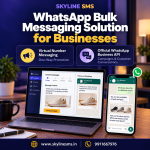

WhatsApp Bulk Messaging Solution for Businesses
A festive offer, new product or store opening needs more than an attractive message. Customers should recognise your business, understand the offer and know how to contact you. The right WhatsApp bulk messaging solution for businesses helps you organise this process around your campaign goals.
Before choosing a WhatsApp bulk SMS service, check how messages will be sent and where customer enquiries will arrive. Virtual-number messaging and the official WhatsApp Business API work differently. Understanding these differences can help you choose a service that fits your brand promotion needs.
Bulk WhatsApp Messaging with Virtual Number
In a virtual-number campaign, promotional messages are sent through provider-managed sender numbers rather than your own business WhatsApp number. Skyline SMS describes this service as one-way messaging, with support for promotional text, images, videos and PDF files.
A business might use this format to share a product catalogue, seasonal offer or opening announcement. Since the sender number is not your own, the message should clearly display your brand name and a direct contact option.
What Should You Check Before Booking?
Request a sample message and confirm:
-
Sender details: What number and profile will customers see?
-
Contact options: Can customers call your business or visit a relevant webpage?
-
Message format: Which media files and buttons are supported?
-
Reporting: What do “sent,” “delivered” and “failed” mean in the dashboard?
-
Package terms: What are the validity, sending hours and adjustment conditions?
For example, a furniture showroom sharing a festive catalogue should include its name, offer dates, location and enquiry number. Customers should not have to search for these details after receiving the message.
Provider-managed virtual-number broadcasting should not be assumed to use the official Meta platform. Ask the provider to explain the sending method and its compliance with WhatsApp’s rules. A package or dashboard alone does not establish official approval.
Official WhatsApp Business API for Brand Promotion
The WhatsApp Business API, part of Meta’s WhatsApp Business Platform, connects business messaging with a dashboard or other software. It supports a more organised approach to promotional campaigns and customer conversations.
This option is worth considering when you want customers to receive messages from your business number and continue the conversation with your team. Depending on the platform and plan, you may also have access to shared inboxes, automated replies and CRM connections.
How Promotional Campaigns Work
Start with customers who have agreed to receive messages from your business. Prepare a marketing template, submit it for approval and use the approved template for your business-initiated campaign. Respect customer requests to stop receiving messages.
A jewellery store, for example, could introduce a new collection to subscribed customers. Interested customers could reply with questions about availability or request a store appointment. The team handling these replies becomes an important part of the campaign.
What Does “Meta Verified” Mean Here?
Using the official WhatsApp Business API does not automatically mean your business receives a verified badge. API access, business verification and a visible account badge are separate matters. Ask the provider to explain exactly what its verification support includes.
Avoid choosing a package only because it promises a badge, unlimited messaging or guaranteed delivery. Confirm the account requirements, available features and applicable restrictions before payment.
Understand the Costs Before Choosing a Plan
For virtual-number services, ask how credits are deducted and how unsuccessful messages are handled. Confirm any account, handling or renewal charges. For the official API, request a breakdown of platform fees and Meta messaging charges. Meta charges for delivered marketing messages, with rates depending on the recipient’s market and message category. Provider subscriptions, integrations and additional features may cost extra.
Compare quotations using the same expected message volume and required features. A lower package price may not include everything your team needs.
Which Solution Fits Your Business?
Consider how you want the customer journey to work. If you are reviewing a one-way promotional service, check its sender identity, contact options and sending method carefully. If your brand needs ongoing conversations from its own number, team access and integrations, evaluate the official API.
Whichever service you choose, prepare a clear offer and a relevant, permission-based audience. Start with a focused campaign, review actual enquiries and make sure someone is available to respond. Message volume alone does not tell you whether a campaign is successful.

About Skyline SMS
At Skyline SMS, we offer virtual-number WhatsApp marketing and official WhatsApp Business API services for business communication and promotion. Our team helps you understand the service options, message formats and campaign requirements before choosing a package. Share your business category, expected message quantity and customer-reply requirements with us to discuss a suitable option and request a demonstration.
Call: 9911667976 Website: www.skylinesms.in