
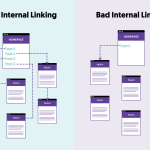
Internal linking is one of the most powerful—but often ignored—SEO strategies.
It helps Google understand your website structure, passes link authority, boosts page rankings, and improves user experience.
At GroxDigital, we use advanced internal linking frameworks to increase organic traffic and help websites rank faster.
Let’s understand internal linking in a simple and beginner-friendly way.
What is Internal Linking?
Internal links are links that connect one page of your website to another page of the same website.
Example:
A blog on SEO Basics linking to a blog on Keyword Research.
These links help both users and search engines navigate your website easily.
Why Internal Linking is Important?

1. Improves Google Crawling
Internal links help Google discover new pages faster.
2. Boosts Page Authority
Link juice passes from strong pages to weak pages.
3. Improves User Experience
Visitors spend more time exploring related content.
4. Helps Rank Important Pages Faster
You can push traffic toward high-value service or money pages.
5. Reduces Bounce Rate
Internal links keep users engaged longer.
At GroxDigital, we use a planned internal linking pattern to maximize SEO performance.
Types of Internal Links
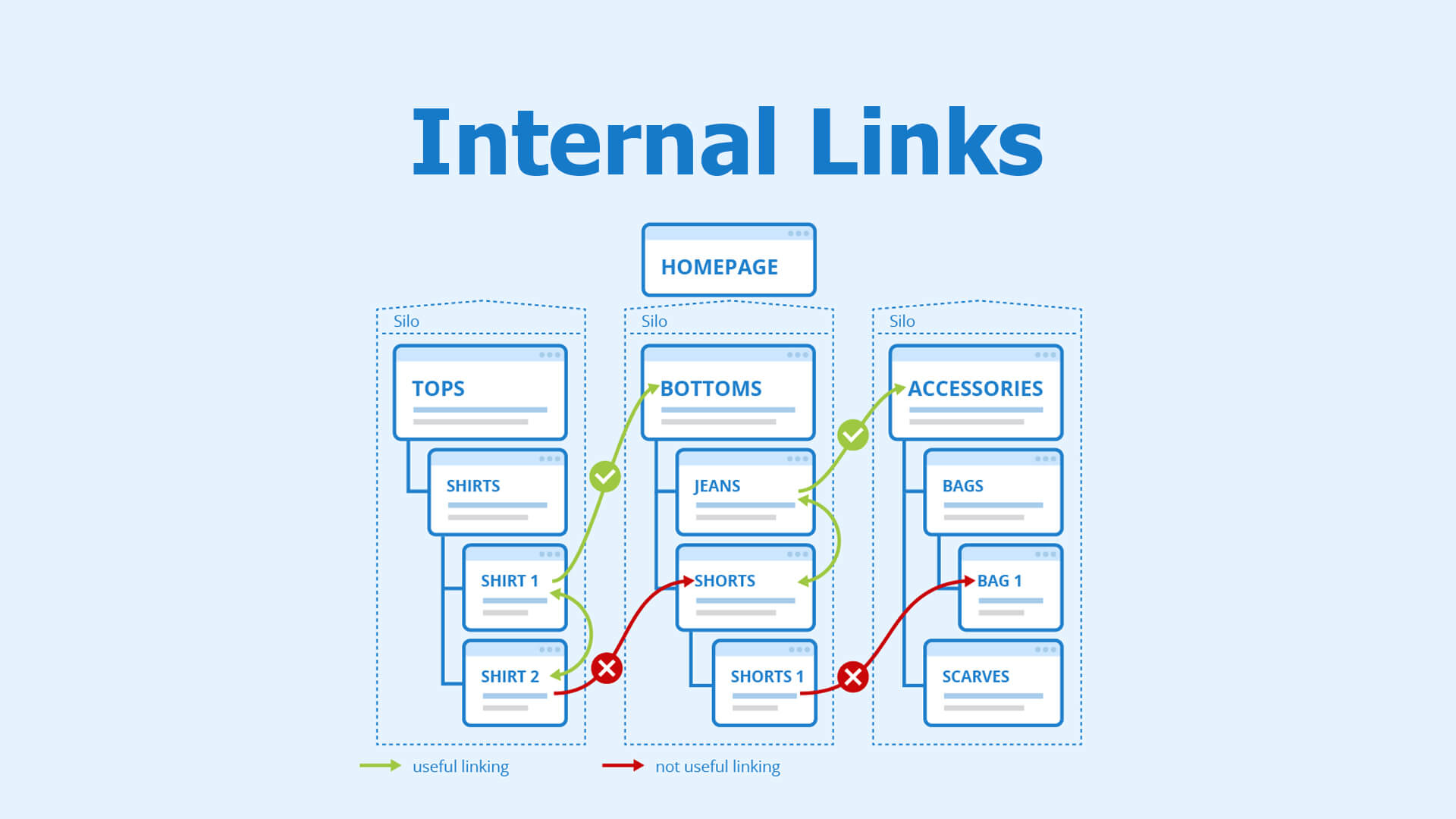
1. Contextual Links
Links inside your blog content.
These are the strongest links for SEO.
2. Navigational Links
Links in the menu, sidebar, or footer.
3. Footer Links
Useful for linking legal and informational pages.
4. Image Links
Clickable images that redirect to relevant pages.
5. Breadcrumb Links
Shows the path of a page inside the website structure.
Internal Linking Strategy (Step-by-Step)
Step 1: Choose Your Money Pages
These are your high-value pages like:
-
Services
-
Product pages
-
Landing pages
GroxDigital prioritizes linking these pages from high-traffic pages.
Step 2: Link From High Authority Pages
Blog posts with high traffic pass strong link juice.
Example:
-
“What is SEO?” → link to → “SEO Services Page”
Step 3: Use Keyword-Based Anchor Text
Good Examples:
-
“Learn our SEO services in India.”
-
“Check our Digital Marketing Plans.”
Avoid:
-
Click here
-
Learn more
-
Read this
Always use natural, descriptive anchor text.
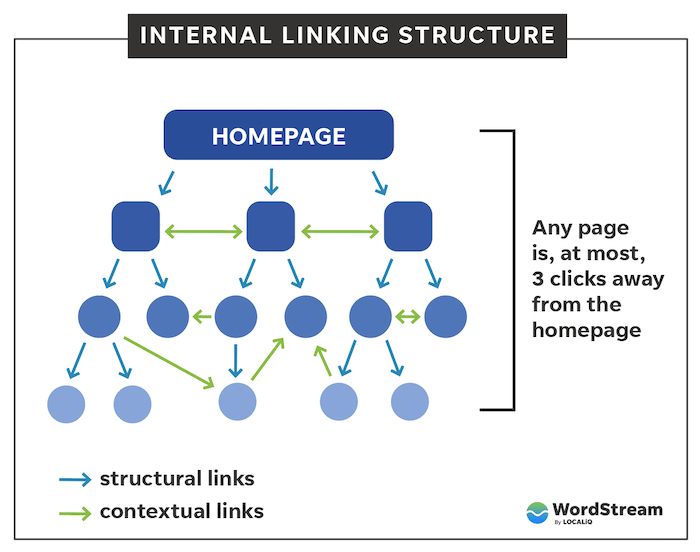
Step 4: Maintain a Proper Link Depth
Important pages should not be more than 3 clicks from the homepage.
This improves crawling and user navigation.
Step 5: Add 3–5 Relevant Internal Links Per Blog
Google prefers natural internal link distribution.
Recommended Pattern (GroxDigital Standard):
-
1 link in introduction
-
2–3 links inside the body
-
1 link in conclusion
Step 6: Use Pillar + Cluster Model
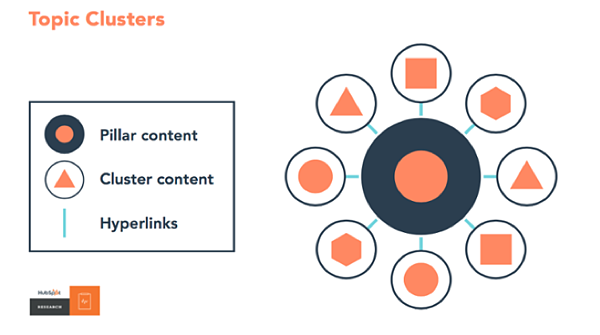
This is the most effective internal linking strategy.
Pillar Page
A long, in-depth guide on a broad topic.
Example: “Digital Marketing Guide”
Cluster Pages
Smaller blogs covering subtopics.
Example:
-
SEO Basics
-
Keyword Research
-
Link Building
-
On-page SEO
Linking Structure
Pillar → Cluster
Cluster → Pillar
Cluster → Cluster
GroxDigital uses this framework for all content-based websites.
Step 7: Fix Broken Internal Links
Broken links harm your SEO.
Use tools like:
-
Screaming Frog
-
Ahrefs
-
Search Console
Fix or redirect these links promptly.
Internal Linking Best Practices
-
Use descriptive keywords in anchors
-
Do not over-optimize anchors
-
Avoid linking to irrelevant pages
-
Keep links natural, not forced
-
Always open internal links in same tab
-
Link to fresh or updated content
Internal Linking Mistakes to Avoid
❌ Adding too many links
❌ Using the same anchor text everywhere
❌ Linking to the homepage repeatedly
❌ Linking to no-index pages
❌ Forgetting to link new pages to old content
GroxDigital audits internal linking patterns to ensure maximum SEO benefits.
Final Thoughts
A strong Internal Linking Strategy helps your website:
-
Rank faster
-
Improve crawlability
-
Boost user engagement
-
Control link authority
At GroxDigital, we create internal linking plans that improve organic performance and push important pages to the top of Google.