

You charge your device overnight, wear it for a normal day, and somehow, it's already begging for the charger by mid-afternoon. Annoying, sure, but not always a sign of doom. Some causes are quick fixes you can sort tonight; others point to something worth having checked properly before it gets worse.
Software Updates Are Often the First Culprit
A fresh watchOS update triggers background indexing that can chew through battery for a couple of days after it lands. If the drain started right after an update, give it 48 to 72 hours before assuming the worst, since most watches settle back to normal on their own.
Always-On Display and Notifications Add Up
Keeping the screen active constantly, or letting every app ping your wrist, drains power steadily throughout the day. Dropping brightness and trimming notifications often buys back hours without any repair at all.
Weak Connections Force the Watch to Work Harder
A shaky Bluetooth link to your iPhone, or patchy cellular signal on LTE models, makes the watch burn extra power constantly searching for a stable connection. Re-pairing the two devices sometimes resolves this in minutes flat.
Battery Health Below 80 Per Cent Signals Wear
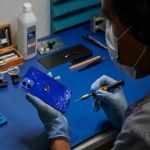
Every lithium-ion battery degrades with charge cycles, and once health drops under that mark, the watch simply can't hold a full day's charge anymore, no matter how carefully you manage settings. Booking a visit for Apple Service in Pearl, Qatar means someone qualified opens the case, confirms what's actually wrong, and fits the right part the first time round.
Drain That Started After a Screen Repair Matters
If battery life tanked right after a screen replacement, the display itself may be the problem. Non-genuine panels can't match the original's power-saving refresh rate, so they draw noticeably more energy even at rest.
Sudden Shutdowns Despite Remaining Charge
A watch that switches off while still showing 20 or 30 per cent isn't behaving normally at all. This usually means the battery can no longer deliver steady voltage under load and needs replacing rather than tweaking through settings.
Heat During Normal Use
A watch that feels warm just sitting on your wrist, without any workout involved, often has a battery working harder than it should to hold a charge. Left alone, this tends to get worse rather than better over the following weeks.
When troubleshooting stops making a dent, a proper diagnostic beats guessing at the problem for weeks on end. A trusted Apple repair shop in Pearl, Qatar can check battery health against genuine specifications rather than rough estimates pulled from a forum. For learn more https://www.appleservicecenterqatar.com/our-company/